Create a strong LinkedIn profile by signing up at LinkedIn.com using a professional email, creating a clear headline (120-character limit), and uploading a high-quality, professional headshot. A comprehensive profile with an ”About” summary, work experience, and skills increases your visibility to recruiters and professionals.
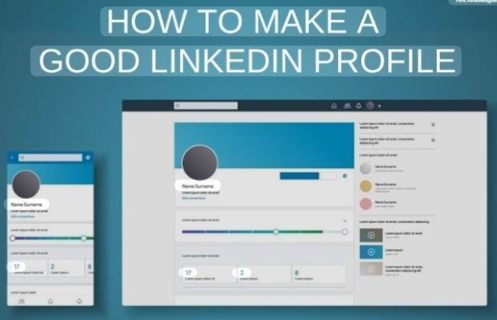
Optimize your LinkedIn profile by creating a professional, keyword-rich headline, using a high-quality photo and banner, and writing a compelling ”About” summary. Ensure your experience section focuses on measurable results, customize your URL, and actively gather recommendations to increase visibility, engagement, and credibility to recruiters.
What is LinkedIn?
LinkedIn is the world’s largest professional networking platform with over 1.2 billion users, designed for career development, job searching, and B2B marketing. It is essential for building professional connections, showcasing portfolios, finding job opportunities, and sharing industry content to establish personal brands.
A professional Social Network, Unlike Facebook or Instagram, it is focused on business, career, and professional networking. A Digital Resumes/portfolio, users create profiles that detail their work experience, skill, and education. A Talent Marketplace, It allows job seekers to connect with recruiters and allows employers to post openings. A Content and learning hub, It hosts industry discussions and offers educational courses (LinkedIn Learning).
Why LinkedIn is Important?
- Job Opportunities & Recruiting: 87% of recruiters use LinkedIn to find candidates.
- Networking & Visibility: Enables connecting with industry peers, mentors, and decision-makers.
- Personal Branding: Allows you to showcase expertise through posts and articles to build authority.
- Business Growth: Essential for B2B marketing, lead generation, and finding professional partners.
- Industry Insights: keeps you updated on market trends and competitor activity.
Why LinkedIn is important for freshers?
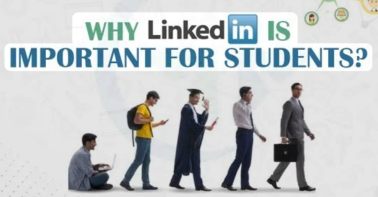
LinkedIn is crucial for freshers to build a professional brand, network with industry leaders, and access unadvertised job opportunities. It acts as a digital portfolio, allowing beginners to showcase skills beyond a traditional resume, gain credibility through endorsements, and directly connect with recruiters, improving their chances of landing jobs.
- Job Opportunities & Visibility: Recruiters actively search for talent on LinkedIn. A complete profile, especially with a ”open to work” status, increases visibility, allowing beginners to find internships and entry-level positions.
- Building a personal Brand: It offers a platform to showcase projects, skills, and certifications, acting as a dynamic, 24/7 online resume.
- Networking with industry professionals: Freshers can connect with alumni, professionals, and industry leaders to find mentors and uncover job opportunities that are not publicly advertised.
- Professional Credibility: Endorsements and recommendations from professors or internship supervisors add validity to skills, increasing trust from potential employers.
- Industry Insights and Learning: Following companies and industry leaders helps freshers stay updated on trends and news, while LinkedIn Learning provides courses to build skills.
- Researching Companies: Before interviews, job seekers can use LinkedIn to research company culture, background, and interviewers.
How recruiters use LinkedIn?
Recruiters use LinkedIn as a powerful tool to find, evaluate, and hire candidates. Recruiters use LinkedIn as their primary search engine and CRM (candidate Relationship Management) tool. Most professionals are familiar with the ”front end” of LinkedIn, but recruiters use a high-powered back-end platform called LinkedIn Recruiter.
- Searching for candidates: Recruiters use keywords (skills, job titles, location) to find suitable candidates.
- Checking Profiles: they review profiles to see experience, education, skills, and achievements.
- Shortlisting Candidates: Based on profile quality, they shortlist the best candidates for the job.
- Sending Messages (InMail): Recruiters directly message candidates to discuss job opportunities.
- Posting Job Openings: They post jobs so interested candidates can apply.
- Analyzing Activity: They check your posts, engagement, and consistency to understand your personality and interest.
- Building Talent Pool: Recruiters save profiles for future hiring needs.
Hidden Job Opportunities
Hidden job opportunities on LinkedIn are roles filled through networking, referrals, or direct outreach before being publicly advertised. Access them by searching posts for ”hiring” (keyword), engaging with hiring managers directly, setting up alerts for new posts, and updating your profile to ”open to work” for recruiters.
Importance of Personal Branding
Personal branding on LinkedIn is crucial for establishing credibility, increasing visibility, and attracting career or business opportunities in a crowded digital market. It transforms a standard profile into a dynamic, trust-building asset that acts as a magnet for recruiters, clients, and partnerships, ultimately setting you apart from peers.
Create a Professional Profile (basics)
create a professional LinkedIn profile involves setting up key sections to showcase your experience and expertise, aiming for ”All-star” profile strength to increase visibility. A completed profile with a photo receives up to 21 times more views and 36 times more messages.
Your profile should be complete and well-defined
To ensure your LinkedIn profile is complete, professional, and optimized for 2026, it should be treated as a dynamic personal brand billboard rather than a static resume. An ”All-star” profile-complete with a professional photo, headline, summary, experience, and skills-is 40 times more likely to receive opportunities.
Professional email use
Use a professional email address (e.g., firstname.lastname@gmail.com) for your LinkedIn account, avoiding unprofessional nicknames or numbers. Set this as your primary email under Settings & Privacy>Sign in & Security to ensure you receive notifications and job inquiries. Maintain consistent, polite, and brief communication when messaging connections.
Clean and simple username (custom URL)
To create a clean, custom LinkedIn URL, navigate to your profile, click ”Edit public profile & URL” in the top right, and select the pencil icon to modify the URL to LinkedIn.com/in/first Last. keep it simple by using your first and last name, or add a middle initial or a hyphen to differentiate if necessary.
Profile Photo & Banner Optimization
Optimize your LinkedIn profile by using a professional, high-resolution headshot (400*400 px, 60-70% of frame) and a tailored, high-resolution banner (1584*396 px) that reflects your industry and brand. Use, Canva to design, avoid clittered text, and check alignment on both mobile and desktop.
Clear face formal look on LinkedIn
A clear face, formal look on LinkedIn is designed to project competence, confidence, and approachability. To achieve this, your profile picture should be a high-quality, professional headshot that focuses on your facial features and creates a strong first impression, as profile with photos receive significantly more attention.
Good Lighting
Good lighting for LinkedIn, whether for profile photos or video calls, requires soft, even illumination to the front to avoid harsh shadows, ideally using natural light from a window. Position light sources at or slightly above eye level, avoid backlight, and maintain a consistent, professional, and bright aesthetic.
Banner
A professional LinkedIn banner, or cover image, measures 1584*396 pixels, adds visuals branding, and enhances credibility. Use Canva or similar tools to create custom designs highlighting your skills, value proposition, or company brand. Position key text to the right to avoid obstruction by your profile photo.
Skills
- Communication
- Customer Service
- Leadership
- Adaptability
- Flexibility
- Teamwork
- Generative AI
- Data analytics
- Project Management
- SQL
- Python
- Strategy Development
Tools or Career Goal
Optimizing your LinkedIn profile with specific tools and career goals helps attract recruiters and align with your professional aspirations. key strategies include updating your headline with industry-relevant skills, mentioning proficiency in specific software, and setting ”open to work” preferences to reflect future targets rather than past roles. Use keywords that highlight your technical proficiency (e.g., python, salesforce, Adobe CC) rather than job titles.
About Section(Summary)
A LinkedIn ”About” section (or summary) is a 2,000-character narrative space to highlight your professional mission, skills, and achievements beyond a resume. It should tell your career story, include keywords for discoverability, and end with a clear call to action. Focus on value, passion, and unique qualifications.
Structure
A structured LinkedIn profile maximizes professional branding by combining a high-quality headshot, a keyword-rich headline (beyond just job titles), and a compelling ”About” Section. Organize experience with concrete, quantified achievements and use the ”Featured” Section to showcase key projects and media.
Skills Section Optimization
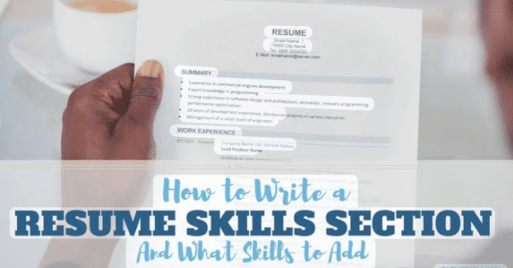
Optimize your resume and LinkedIn skills section by tailoring it with 8-15 relevant keywords from the job description, prioritizing hard skills over soft skills. Organize skills into categories (e.g., tools, languages) and use both full names and abbreviations (e.g., ”Amazon web services (AWS)”) for maximum ATS visibility.
Some skills
- Digital Marketing
- SEO
- Content Writing
- Communication Skills
Education & Experience Section
The education section on a resume should list degrees in reverse chronological order, including the institution, degree type, major, and graduation year. Position education after experience if you have over 3 years of experience, or at the top if a recent graduate. Include 3.5+ GPA and relevant coursework only if junior.
To ensure college details are properly mentioned, whether on a resume, in a college list, or in a statement of purpose (SOP), they must be accurate, structured, and comprehensive.
Internship projects are specific, structured tasks or initiatives assigned to an intern within a company or organisation, aimed at providing hands-on experience, bridging the gap between academic knowledge and professional reality, and contributing to organizational goals. These projects often range from short-term daily duties to long-term initiatives that allow interns to develop technical skills and gain a deeper understanding of their industry.
Writing projects when you have no professional experience involves shifting the focus from ”what I have done for a company” to ”what I have learned, built, or contributed through other means.” Employers value skills over job titles, so you can demonstrate competence through academic work, personal initiative, and volunteering.
Add projects & Certifications
Add projects and certifications to your resume pr LinkedIn by creating dedicated, easy-to-read sections for each. For projects, use action verbs to describe your role, tools used, and outcomes (e.g., in GitHub). List certifications with the full name, issuing body, and date, prioritizing those most relevant to the job.
Free and professional online courses from Google and HubSpot Academy provide industry-recognized certifications in marketing, data, and technology, often at no cost. Top options include Google Career Certifications (Data Analytics, IT Support) and HubSpot certifications (Inbound Marketing, CRM). These courses are tailored for career switchers, marketers, and business owners looking for practical, on-the-job skills.
Freelance projects offer paid, independent work in fields like digital marketing, web development, graphic design, and writing. Popular platforms include Upwork, Fiverr, and Freelancer.com. Practice projects, such as creating mock websites or AI-Powered apps, help build a portfolio. Key, in-demand skills in 2026 include AI content creation, video editing, and SEO.
To add a portfolio link to LinkedIn, click the ”Add section” button on your profile, select ”Recommended,” and choose ”Add featured” to add your link. which makes it highly visible. Alternatively, edit your ”Contact info” to include it in the Website field, or edit your intro to add a custom button linking to your work.
Keywords optimization (SEO for Optimization)
Optimize your LinkedIn profile for SEO by identifying relevant industry keywords (e.g., ”AI Marketing,” ”Project Manager”) and naturally integrating them into your headline, ”About” Section, experience, and skills. Using specific, targeted keywords increases visibility,, While completing your profile and posting regular, relevant content helps boost your ranking,, according to Shopify’s article.
Used keywords in profiles are specific, industry-relevant terms and phrases (e.g., job titles, skills, tools) designed to increase visibility for recruiters or customers. They should be integrated naturally into headlines, summaries, and experience sections. Identifying keywords requires reviewing job descriptions, focusing on hard skills, tools and repeating terminology.
Example: ”Digital Marketing Intern” ”SEO Beginner”
Build Strong Network
Build a strong LinkedIn network by optimizing your profile with a professional photo and headline, connecting with people you know, and engaging consistently through thoughful comments on industry posts. Aim to send 10-20 personalized connection requests daily and share relevant content to increase your visibility.
Sending 5 to 10 LinkedIn connections daily is a safe, sustainable strategy that easily fits within the platform’s roughly 100-weekly invitation limit.This approach avoids spam flags, helps maintain a high acceptance rate, and keeps your account secure. Spread these requests throughout the week, focusing on quality connections to maximize engagement and prevent restrictions.
HR professionals manage the entire employee lifecycle, fostering a productive, compliant, and positive workplace. key roles include talent acquistion, onboarding, performance management, training, and employee engagement. Essential skills include communication, data literacy, business acumen, and HR technology proficiency. Networking via LinkedIn and industry events is crucial for career growth.
Personalised messages are designed to be unique, emotional, and significant to the recipient, often creating an emotional bridge that feels more genuine than generic messages. Effective personal messages typically include specific shared memories, mentioning a quality you admire, or expressing gratitude.
Stay Active on LinkedIn
Staying active on LinkedIn builds professional credibility and increases visibility to opportunities by regularly interacting with your network. Dedicate 10 minutes daily to liking, commenting thoughfully on posts, sharing industry insights, updating your profile with new skills, and sending personalized requests.
Weekly Active on LinkedIn
Maintaining a weekly active presence on LinkedIn-ideally posting 2-5 times– can significantly increase visibility, with some data suggesting up to 7x faster follower growth. key weekly activities include posting, commenting on others’ content, and sending personalized connection requests to 5-10 new people to build professional networks.
Share Your learning on LinkedIn profile
Share your learning on LinkedIn by adding certifications via the ”Licenses & Certificatiions” section or directly from LinkedIn Learning by clicking ”Add to profile” in your learning history. For non-LinkedIn courses, manually enter details and add a credential URL or image for verification. Finally, create a post discussing your key takeaways to boost engagement.
Comment on other’s posts
Commenting on LinkedIn is a high-impact strategy to increase visibility, build professional relationships, and boost engagement. Effective comments add value-sharing insights, personal stories, or thoughful questions-rather than just saying ”great post”. Aim for daily, genuine engagement, especially within the first hour of a post’s publication, to maximize reach.
Common Mistakes to Avoid
To maximize your LinkedIn impact, avoid having an incomplete profile, a generic headline, or an outdated photo, which can hinder professional credibility. Key mistakes include being inactive, sending generic connection requests, writing in third person, treating it like a resume rather than a networking tool, and oversharing.
Mention Fake information
Fake information on LinkedIn includes fraudulent job postings (often promising high pay/remote work), impersonation profiles using stolen photos, fake engagement hacks (like ”comment yes” for jobs), and fabricated credentials to build false authority. These scams aim to collect personal data, distribute malware, or trick users into paying for equipment.
No Activity
Not having activity on LinkedIn is a significant mistake, particularly for job seekers, as it can make your profile up to 200% less visible to recruiters. LinkedIn’s algorithm favors active engagement, and profiles without recent updates, posts, or interactions (like, comment, share) over 30 days can become largely invisible, marking the user as dormant.
Poor Profile Photo
A poor LinkedIn profile photo often features low quality ( blurry, dark), casual, or unprofessional settings, such as selfies, cropped party photos, or group shots. Using 400*400 pixel minimum, ensuring a friendly expression, proper lighting, and choosing a professional, neutral background is key to making a positive, trustworthy first impression.
Tips to attract Recruiters
To make your LinkedIn profile attractive to recruiters, use a professional headshot, write a keyword-rich headline (e.g., ”job Title/key skills/ Impact Statement”), and draft a compelling ”About” section that highlights your career story. Prioritize listing skills, quantifiable accomplishments with metrics, and turn on the ”Open to work” feature. Actively engage by commenting and posting to boost engagement, which improves search rankings.
Conclusion
Optimizing your LinkedIn profile is a crucial, high-ROI investment that transforms your online presence from a static resume into a dynamic, 24/7 personal brand tool. It drives higher visibility, attracts recruiters, builds credibility, and unlocks hidden professional opportunities. An optimized profile ranks better in searches, allowing recruiters and potential clients to find you easily. A professional photo, compelling headline, and detailed experience build trust and establish authority in your field.
Transition from passive job hunting to active networking, resulting in more, better-aligned opportunities.
The LinkedIn opportunity platforms has evolved from a digital resume repository into a dynamic, essential ecosystem for professional branding, networking, and career advancement, boasting over 800 million users. It acts as a 24/7, procative career agent that connects individuals with recruiters, industry peers, and hidden job opportunities, offering 71% higher likelihood of interview calls for users with complete, optimized profiles.
FAQ Section
LinkedIn is important for freshers?
LinkedIn is important for freshers because it helps them build a professional network, showcase their skills, and connect with recruiters. It also job opportunities, industry insights, and a platform to create a strong personal brand.
How many connections should you have on LinkedIn?
There is no fixed number, but freshers should aim to have at least 300-500 relevant connections. Focus on quality connections like recruiters, professionals, and people from your industry rather than just increasing the number.
How to create a LinkedIn profile without experience?
You can build a strong LinkedIn profile even without experience by focusing on your skills, education, and potential. Add a clear profile photo, write a strong headline, and create a summary that highlights your interests and goals. Include your education, certifications, projects, internships ( if any), and skills. You can also share your achievements, courses, and any practical work to show your abilities.
How much time should you spend daily on LinkedIn?
You should spend around 20-30 minutes daily on LinkedIn. Use this time to optimize your profile, connect with professionals, engage with posts, and learn from industry content. Consistency is more important than spending long hours.